


The benefits (and risks) of WordPress plugins
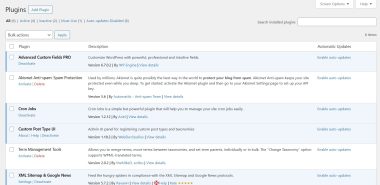
Plugins are a common method to extend functionality of WordPress websites. Nearly all WordPress websites use at least one or two, at the very least a basic caching plugin. Other popular plugins include those for SEO, chatbots, forms, and ecommerce functionality.
While plugins offer a simple way to add features to a website, there are some downsides.
First of all, plugins slow down the loading time of a website, which not only can frustrate visitors, it can also be detrimental to search engine rankings. Every time a page loads, it has to load every active plugin and perform the tasks of each plugin. That’s on top of loading the WordPress core, theme files, and any external sources like Google Analytics tracking. Most of the time, we’re talking fractions of a second per plugin but it can add up, and every second counts.
One way you can gauge the load impact of your plugins is to run speed tests, with plugins inactive and again with plugins activated. Ironically, there are also plugins that can test this for you.
The other drawback of plugins is that they create vulnerabilities for a website, especially outdated plugins. One of the most common methods hackers gain access to a website is through vulnerable plugins.
How many plugins should you have? That’s hard to answer because some plugins have greater impact than others. It’s also very dependent on your hosting infrastructure. Cheap, shared hosting will be negatively impacted more by plugins than quality VPS or dedicated hosting. Generally speaking, it’s okay to run at least 5 or so plugins that are reputable and updated. More if you have quality hosting.
More importantly, make sure all of your plugins are needed to achieve your website objectives. Even if you didn’t purposely install plugins doesn’t mean you aren’t running any. Some hosting providers are notorious for installing bloatware plugins.